My Day Planner - KDP Interior: A Practical Guide to Quality and Customization
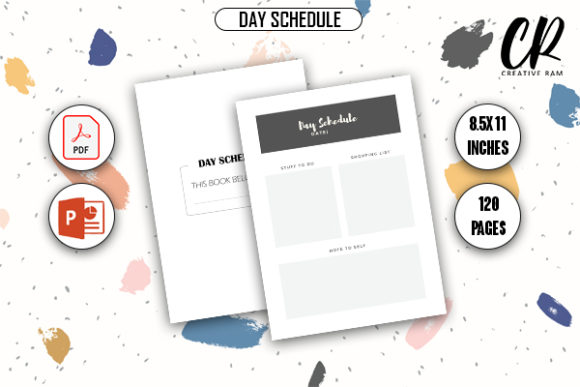
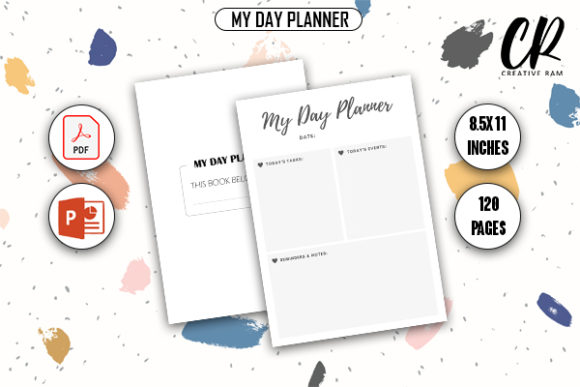
Launching a low-content book on Amazon requires more than just uploading a file; it demands a product that offers genuine utility to the end user. The My Day Planner - KDP Interior is designed to bridge the gap between rapid publishing and high-quality user experience. For entrepreneurs, educators, and freelancers looking to expand their digital product portfolios, this 8.5″ x 11″ template provides a structured foundation. However, having access to a 120-page bleed-ready PDF and PPTX source files is only the starting point. The difference between a bestseller and a returned book often lies in how the creator handles technical specifications and customization before hitting publish.
Many creators mistakenly believe that "print-ready" means "publish-ready." While the high-quality PDF included with this planner meets Amazon’s technical resolution standards, it does not automatically guarantee market success. A common oversight is failing to customize the interior to match a specific niche. If you upload the generic template without adding unique value propositions, branding elements, or niche-specific prompts, your book risks blending into a saturated marketplace. Utilizing the included PowerPoint (PPTX) source files is not optional for serious publishers; it is the primary tool for transforming a generic asset into a proprietary product that resonates with professionals, students, or hobbyists.
Navigating Bleed Settings and Margin Safety
One of the most frequent technical errors encountered with the My Day Planner - KDP Interior involves misunderstanding bleed versus no-bleed configurations. This template is specified as "Bleed With Bleed," meaning content extends to the very edge of the paper. A critical mistake occurs when users treat this file as a standard no-bleed document during the upload process. If you select "No Bleed" in KDP while using this file, Amazon’s automated review will likely reject it or, worse, crop essential planning elements near the trim line.
Conversely, even when bleed is selected correctly, creators often overlook the safe zone. Just because the canvas is 8.5″ x 11″ with bleed does not mean text should sit at the absolute edge. Professional typesetting requires maintaining an inner margin safety buffer. For a 120-page book, the gutter (inner margin) needs adequate space to prevent text from disappearing into the binding. Before finalizing your upload, always open the PDF in a viewer with grid lines or use the KDP Previewer to physically measure the distance between your content and the trim line. Relying solely on visual estimation on a screen is a recipe for printing errors that lead to negative customer reviews regarding usability.
The Risks of Ignoring Source File Customization
The inclusion of PPTX source files is a significant advantage, yet many users ignore them entirely. Relying exclusively on the pre-made PDF limits your ability to correct layout issues or adapt the planner for different audiences. For example, a day planner designed for corporate executives requires different hourly breakdowns than one designed for homeschooling parents. By skipping the customization phase, you miss the opportunity to tailor the product.
Furthermore, editing directly in a PDF editor can degrade quality or corrupt font embedding. The PPTX file serves as the master blueprint. When customizing, ensure you are working within the original slide dimensions. Changing the slide size in PowerPoint after adding content can shift elements unpredictably. Always verify your slide setup matches the 8.5″ x 11″ specification plus the required bleed allowance before making design adjustments. This proactive step prevents the misalignment that frequently plagues amateur KDP interiors.
Evaluating Page Count and Content Density
This interior features 120 pages, which is a substantial length for a daily planner. A practical warning for new publishers: do not assume more pages equal higher perceived value. If the daily layout is too sparse or repetitive without offering additional tracking, reflection, or organizational tools, customers may feel the book is padded. Evaluate the density of the content. Does each page serve a distinct purpose? Are there introductory pages, yearly overviews, or index sections included?
If you find the 120-page count excessive for your specific niche, use the PPTX source file to remove unnecessary slides rather than forcing filler content. Conversely, if the layout feels cramped, consider adjusting the spacing or reducing the number of tracked metrics per page. User satisfaction hinges on functionality over volume. A streamlined 90-page planner that flows logically is superior to a 120-page book where half the pages go unused. Test the flow by printing a sample copy or creating a digital mockup to simulate the user experience before committing to the full print run.
Ensuring Print Quality and Resolution
While the My Day Planner - KDP Interior is marketed as high-quality print-ready, you must verify this independently. Screen resolution (72-96 DPI) differs vastly from print resolution (300 DPI). A common pitfall is inserting low-resolution logos, clip art, or custom graphics into the PPTX file, assuming they will print clearly. Pixelated elements ruin the professional aesthetic and suggest a lack of attention to detail.
Before exporting your final PDF, check the properties of every image element. Ensure all custom assets are vector-based or high-resolution raster images. Additionally, pay attention to color profiles. KDP prints in CMYK or grayscale depending on your selection. If you design in RGB, colors may shift unexpectedly during conversion. Use the previewer to check contrast ratios, especially for writing spaces. Light gray lines might look elegant on a backlit monitor but can disappear entirely on standard white paper, rendering the planner unusable. Always prioritize legibility and high contrast to ensure the physical product matches the digital promise.
Strategic Considerations Before Purchase and Upload
Before integrating this interior into your catalog, assess whether the 8.5″ x 11″ dimension aligns with your target audience's habits. While this is the industry standard for desk planners, it may be impractical for users seeking portability. Understanding your customer’s environment is crucial. If you are targeting commuters or field workers, this size might result in returns despite excellent interior design. Validate the form factor against competitor bestsellers in your specific sub-niche.
Additionally, review the licensing terms associated with the download. Confirm whether the license permits unlimited commercial use or requires attribution. Misunderstanding usage rights can lead to account suspensions or legal complications. Responsible publishing involves due diligence. Finally, consider the competitive landscape. Since this is a downloadable template, other sellers may have access to the same base structure. Your competitive edge comes entirely from how you modify the PPTX source files, craft your cover, and write your description. Treat the My Day Planner - KDP Interior as raw material rather than a finished product. By approaching it with a mindset of refinement and technical precision, you avoid the common pitfalls of low-content publishing and create a resource that genuinely helps users organize their lives.