Day Schedule - KDP Interior: A Practical Guide to Quality and Customization
Creating a successful low-content book on Amazon requires more than just uploading a generic template; it demands attention to technical precision and user experience. The Day Schedule - KDP Interior is designed to bridge the gap between raw functionality and professional presentation. For self-publishers, educators, and entrepreneurs, this resource offers a structured 120-page layout optimized for daily planning. However, having access to high-quality files is only the first step. Many creators inadvertently compromise their final product by overlooking critical specifications or misunderstanding how to leverage source files effectively. Understanding the nuances of bleed settings, file formats, and customization can prevent costly reprints and ensure your planner stands out in a crowded marketplace.
Understanding the Technical Specifications
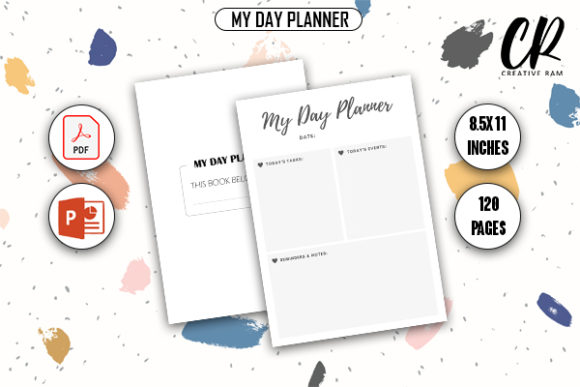
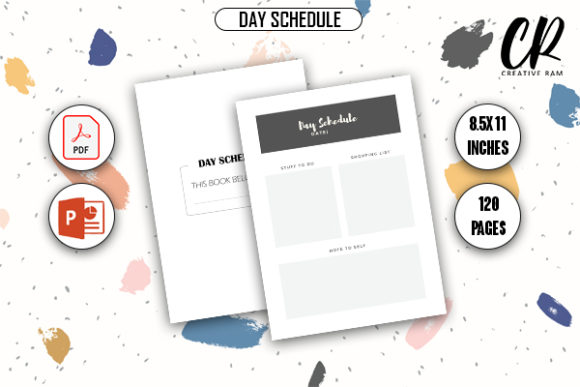
Before you begin customizing or uploading, you must fully grasp the physical parameters of this interior. The Day Schedule - KDP Interior is formatted at 8.5″ x 11″ inches with 120 pages. This standard letter size is popular for planners because it provides ample writing space without being cumbersome. However, the most critical specification here is the "Bleed With Bleed" setting. A common mistake among beginners is treating bleed as an afterthought rather than a foundational design element.
Bleed refers to the area that extends beyond the trim line of the page. When Amazon prints your book, the paper is cut to size. If your background colors, lines, or graphics do not extend into this bleed area, you risk having unsightly white margins where the color should be continuous. Conversely, if important text or scheduling grids drift too close to the bleed zone without proper safety margins, they may get trimmed off entirely. Always verify that your PDF export includes the necessary bleed allowance—typically 0.125 inches on the outer edges—before uploading. Relying solely on visual inspection in a standard PDF viewer can be misleading; use Amazon’s previewer tool to confirm the trim lines align perfectly with your content.
The Value of Dual File Formats
This package includes both Print Ready PDF and PPTX source files. While the PDF is ready for immediate upload, the PowerPoint file is where the true value lies for long-term creators. A frequent error is using the PDF as the primary editing document. Editing a flattened PDF often results in pixelation, font substitution issues, and alignment errors that degrade print quality. The PPTX format allows you to modify layouts, adjust fonts, and rebrand the interior while maintaining vector sharpness.
If you plan to create a series of planners or seasonal variations, always work from the source file. This ensures consistency across your catalog and saves significant time. Remember to check font licensing when making changes; while the provided template uses safe fonts, any new typography you introduce must be commercially licensed for KDP use.
Common Pitfalls in Customization and Design
Even with professional source files, usability issues can arise during the customization process. One of the most overlooked aspects is the balance between aesthetic appeal and functional utility. It is tempting to add heavy graphics, dark backgrounds, or intricate borders to make the Day Schedule - KDP Interior look unique. However, excessive ink coverage can lead to printing issues and increased production costs, which eats into your royalties.
Furthermore, dark backgrounds can make handwriting difficult to read and may cause bleed-through on standard KDP paper. A better approach is to use subtle, light gray guidelines and minimalist headers. This maintains a clean, professional look while ensuring the end-user has a practical writing surface. Test your designs by printing a sample page on standard home printer paper; if it feels cluttered or too dark at home, it will likely perform poorly in mass production.
Navigating Margins and Gutter Space
Another technical misunderstanding involves the gutter margin—the inner space where the book binds. In a 120-page 8.5″ x 11″ book, the gutter requirement is specific. Creators sometimes center their day schedule grids perfectly on the digital canvas, forgetting that the physical binding consumes space on the inner edge. This results in a final product where users have to crack the spine aggressively to write in the left-hand column or near the binding.
To avoid this, utilize the mirror margin settings in PowerPoint or your design software. Ensure that the inner margin accounts for both the required gutter plus additional breathing room. For a planner of this thickness, an inside margin of at least 0.75 to 0.875 inches is often safer than the bare minimum. Prioritizing writability over perfect digital symmetry leads to higher customer satisfaction and fewer negative reviews regarding usability.
Evaluating Quality Before Publishing
Rushing to publish is perhaps the most significant risk factor. Before listing your book, conduct a thorough pre-flight check. Download the high-quality print-ready PDF and inspect it at 100% zoom. Look for jagged lines, blurry text, or inconsistent spacing. These artifacts might be invisible in thumbnail view but become glaring defects in print. Since this Day Schedule - KDP Interior comes with verified source files, regeneration should yield crisp results, but human error during export settings can still occur.
Additionally, consider the end-user's perspective. Does the schedule provide enough vertical space for hourly breakdowns? Are there sections for notes or priorities? A common mistake is adhering so strictly to a grid that the planner becomes rigid. Use the PPTX flexibility to add value-added pages such as monthly overviews, goal-setting trackers, or habit logs before the daily schedules begin. This differentiation transforms a basic commodity into a comprehensive productivity tool.
Strategic Differentiation in a Saturated Market
Finally, understand that downloading this interior does not guarantee sales. The market for daily planners is competitive. Simply uploading the stock template without modification limits your potential audience. Use the customization features to target specific niches. A teacher’s day schedule differs vastly from a nurse’s shift planner or a freelancer’s project tracker. By adjusting terminology, adding niche-specific prompts, or altering the layout flow within the PPTX file, you create a specialized product that resonates with a defined demographic.
Avoid keyword stuffing your title or description to compensate for a generic interior. Instead, let the tailored content drive relevance. Authentic utility builds trust and encourages organic growth. When you treat the Day Schedule - KDP Interior as a foundation rather than a finished product, you align with best practices for sustainable self-publishing success. Take the time to refine, test, and validate your version. The extra effort in preparation translates directly to professionalism in the final printed book.